跳转到主要内容
为了在 UltraRAG UI 中快速演示大语言模型(LLM)能力,我们提供了一个预置的 Pipeline。在正式运行前,请完成 Pipeline 的编译与参数配置。

1. Pipeline 结构概览

https://mintcdn.com/ultrarag/T7GffHzZitf6TThi/images/yaml.svg?fit=max&auto=format&n=T7GffHzZitf6TThi&q=85&s=69b41e79144bc908039c2ee3abbb1c3bexamples/LLM.yaml
# LLM Demo for UltraRAG UI

# MCP Server
servers:
  benchmark: servers/benchmark
  prompt: servers/prompt
  generation: servers/generation

# MCP Client Pipeline
pipeline:
- benchmark.get_data
- prompt.qa_boxed
- generation.generation_init
- generation.generate

2. 编译Pipeline文件

在终端执行以下命令进行编译:
ultrarag build examples/LLM.yaml

3. 配置运行参数

根据你的环境需求,修改 examples/parameter/LLM_parameter.yaml。以下示例展示了如何将后端从 vLLM 切换为 OpenAI API 标准接口,并调整了模型名称与系统提示词。
https://mintcdn.com/ultrarag/T7GffHzZitf6TThi/images/yaml.svg?fit=max&auto=format&n=T7GffHzZitf6TThi&q=85&s=69b41e79144bc908039c2ee3abbb1c3bexamples/parameter/LLM_parameter.yaml
benchmark:
  benchmark:
    key_map:
      gt_ls: golden_answers
      q_ls: question
    limit: -1
    name: nq
    path: data/sample_nq_10.jsonl
    seed: 42
    shuffle: false
generation:
  backend: vllm
  backend: openai
  backend_configs:
    hf:
      batch_size: 8
      gpu_ids: 2,3
      model_name_or_path: openbmb/MiniCPM4-8B
      trust_remote_code: true
    openai:
      api_key: abc
      base_delay: 1.0
      base_url: http://localhost:8000/v1
      base_url: http://localhost:65503/v1
      concurrency: 8
      model_name: MiniCPM4-8B
      model_name: qwen3-32b
      retries: 3
    vllm:
      dtype: auto
      gpu_ids: 2,3
      gpu_memory_utilization: 0.9
      model_name_or_path: openbmb/MiniCPM4-8B
      trust_remote_code: true
  extra_params:
    chat_template_kwargs:
      enable_thinking: false
  sampling_params:
    max_tokens: 2048
    temperature: 0.7
    top_p: 0.8
  system_prompt: ''
  system_prompt: '你是一个专业的UltraRAG问答助手。请一定记住使用中文回答问题。'
prompt:
  template: prompt/qa_boxed.jinja
  template: prompt/qa_simple.jinja

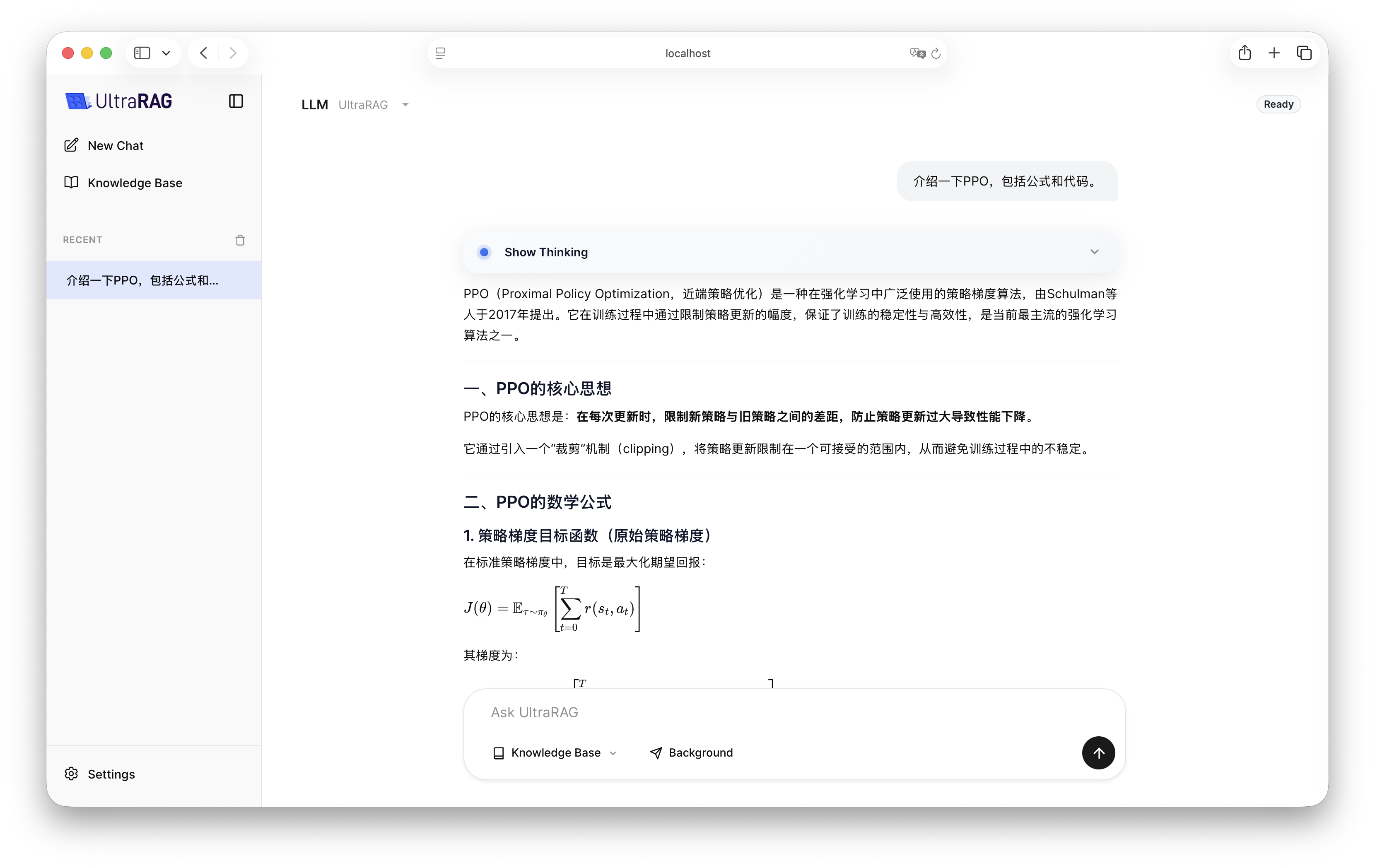
4. 效果演示

配置完成后,启动 UltraRAG UI,在界面中选择 LLM Pipeline 即可开始交互。