AgentCPM-Report is an open-source large language model agent jointly developed by THUNLP, Renmin University of China RUCBM, and ModelBest.
The model is built on the MiniCPM4.1 base (8 billion parameters) and can accept user instructions to autonomously conduct in-depth research and generate long-form reports.
Key Highlights:
- Extreme Performance, Minimal Footprint: Through an average of 40 rounds of deep retrieval and nearly 100 rounds of chain-of-thought reasoning, it achieves comprehensive information mining and restructuring, enabling edge-side models to produce logically rigorous, deeply insightful long-form articles with tens of thousands of words. With just 8 billion parameters, it delivers performance on par with top-tier closed-source systems in deep research tasks.
- Physical Isolation, Local Security: Specifically designed for high-privacy scenarios, it supports fully offline and agile local deployment, completely eliminating the risk of cloud data leaks. Leveraging our UltraRAG framework, it efficiently mounts and understands your local private knowledge base, securely transforming core confidential data into highly valuable professional decision-making reports without ever leaving its domain.
This document aims to introduce how to configure and use AgentCPM-Report in the UltraRAG framework.
To obtain the best generation results, we strongly recommend downloading and using the supporting proprietary model
AgentCPM-Report.
1. Pipeline Structure Overview
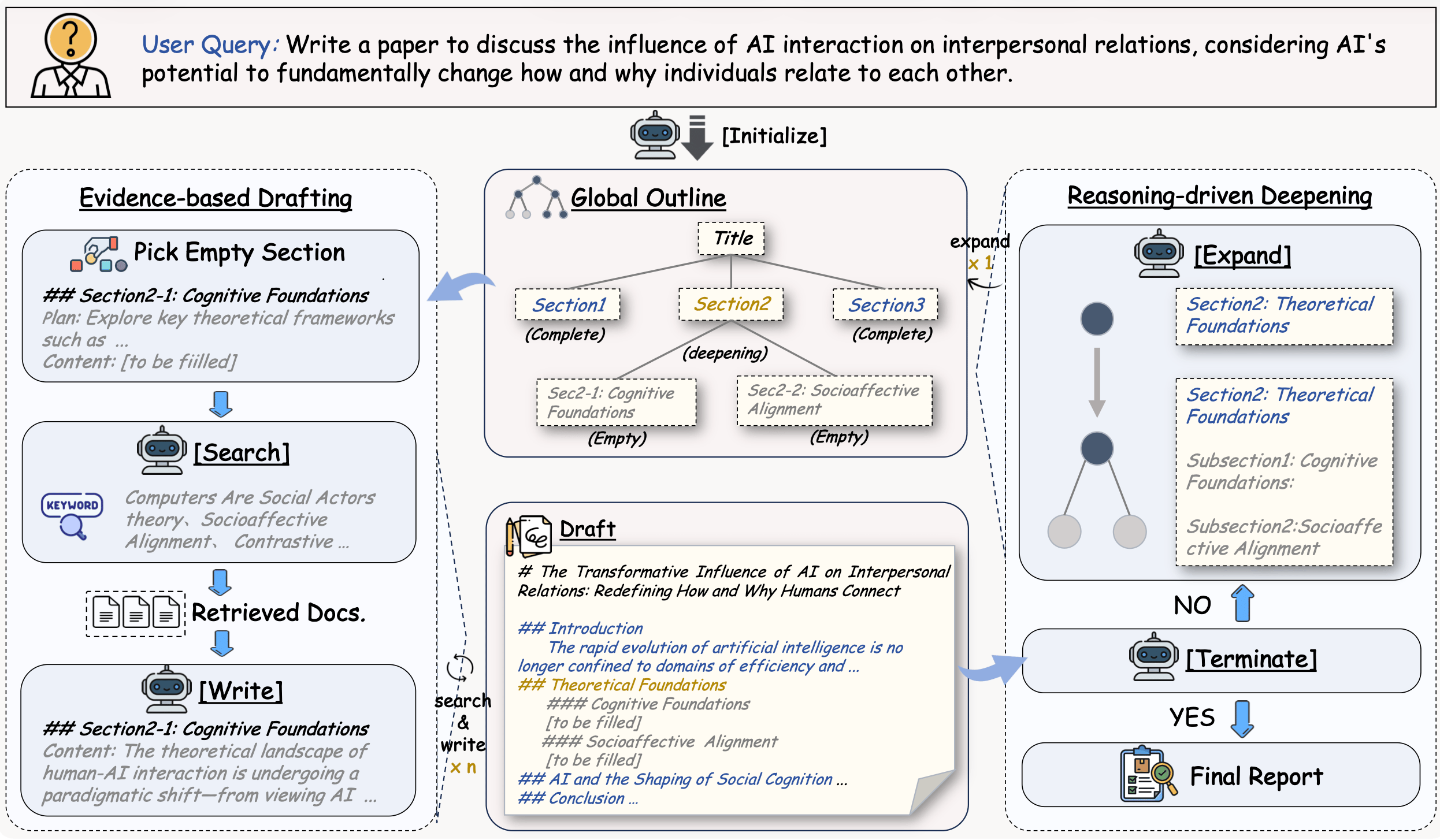
The AgentCPM-Report Pipeline adopts a dynamic loop architecture based on a state machine. After initialization, the system enters a core loop where an intelligent router (Router) autonomously decides the next action based on the current task progress—flexibly switching between four branches: information gathering (Search), initial planning (Analyst-Init), content writing (Write), and plan extension (Analyst-Extend). Through continuous “retrieval-planning-writing” iterations, it completes all research tasks and outputs the final formatted report.
examples/AgentCPM-Report.yaml
# AgentCPM-Report Demo for UltraRAG UI
# MCP Server
servers:
benchmark: servers/benchmark
generation: servers/generation
retriever: servers/retriever
prompt: servers/prompt
router: servers/router
custom: servers/custom
# MCP Client Pipeline
pipeline:
- benchmark.get_data:
output:
q_ls: instruction_ls
- retriever.retriever_init
- generation.generation_init
- custom.surveycpm_init_citation_registry
- custom.surveycpm_state_init
- loop:
times: 140
steps:
- branch:
router:
- router.surveycpm_state_router
branches:
search:
- prompt.surveycpm_search:
output:
prompt_ls: search_prompt_ls
- generation.generate:
input:
prompt_ls: search_prompt_ls
output:
ans_ls: search_response_ls
- custom.surveycpm_parse_search_response:
input:
response_ls: search_response_ls
- retriever.retriever_batch_search:
input:
batch_query_list: keywords_ls
- custom.surveycpm_process_passages_with_citation
- custom.surveycpm_update_state
analyst-init_plan:
- prompt.surveycpm_init_plan:
output:
prompt_ls: init_plan_prompt_ls
- generation.generate:
input:
prompt_ls: init_plan_prompt_ls
output:
ans_ls: init_plan_response_ls
- custom.surveycpm_after_init_plan:
input:
response_ls: init_plan_response_ls
- custom.surveycpm_update_state
write:
- prompt.surveycpm_write:
output:
prompt_ls: write_prompt_ls
- generation.generate:
input:
prompt_ls: write_prompt_ls
output:
ans_ls: write_response_ls
- custom.surveycpm_after_write:
input:
response_ls: write_response_ls
- custom.surveycpm_update_state
analyst-extend_plan:
- prompt.surveycpm_extend_plan:
output:
prompt_ls: extend_prompt_ls
- generation.generate:
input:
prompt_ls: extend_prompt_ls
output:
ans_ls: extend_response_ls
- custom.surveycpm_after_extend:
input:
response_ls: extend_response_ls
- custom.surveycpm_update_state
done: []
- custom.surveycpm_format_output:
output:
ans_ls: final_survey_ls
2. Compile Pipeline File
Execute the following command to compile this workflow:
ultrarag build examples/AgentCPM-Report.yaml
Modify examples/parameter/AgentCPM-Report_parameter.yaml.
Want to adjust research depth? Please adjust as needed in the custom configuration: increase surveycpm_max_step to extend research time, and increase surveycpm_max_extend_step to obtain more detailed extended content. If you have extremely high quality requirements, be sure to enable surveycpm_hard_mode (hard mode).

examples/parameter/AgentCPM-Report_parameter.yaml
benchmark:
benchmark:
key_map:
gt_ls: golden_answers
q_ls: question
limit: -1
name: nq
path: data/sample_nq_10.jsonl
seed: 42
shuffle: false
custom:
surveycpm_hard_mode: false
surveycpm_hard_mode: true
surveycpm_max_extend_step: 12
surveycpm_max_step: 140
generation:
backend: vllm
backend: openai
backend_configs:
hf:
batch_size: 8
gpu_ids: 2,3
model_name_or_path: openbmb/AgentCPM-Report
trust_remote_code: true
openai:
api_key: abc
base_delay: 1.0
base_url: http://localhost:8000/v1
base_url: http://localhost:65506/v1
concurrency: 8
model_name: MiniCPM4-8B
model_name: AgentCPM-Report
retries: 3
vllm:
dtype: auto
gpu_ids: 2,3
gpu_memory_utilization: 0.9
model_name_or_path: openbmb/AgentCPM-Report
trust_remote_code: true
extra_params:
chat_template_kwargs:
enable_thinking: false
sampling_params:
max_tokens: 2048
temperature: 0.7
top_p: 0.8
system_prompt: ''
system_prompt: 'You are a professional UltraRAG Q&A assistant.'
prompt:
surveycpm_extend_plan_template: prompt/surveycpm_extend_plan.jinja
surveycpm_init_plan_template: prompt/surveycpm_init_plan.jinja
surveycpm_search_template: prompt/surveycpm_search.jinja
surveycpm_write_template: prompt/surveycpm_write.jinja
retriever:
backend: sentence_transformers
backend: openai
backend_configs:
bm25:
lang: en
save_path: index/bm25
infinity:
bettertransformer: false
model_warmup: false
pooling_method: auto
trust_remote_code: true
openai:
api_key: abc
base_url: https://api.openai.com/v1
base_url: http://localhost:65504/v1
model_name: text-embedding-3-small
model_name: qwen-embedding
sentence_transformers:
sentence_transformers_encode:
encode_chunk_size: 256
normalize_embeddings: false
psg_prompt_name: document
psg_task: null
q_prompt_name: query
q_task: null
trust_remote_code: true
batch_size: 16
collection_name: wiki
corpus_path: data/corpus_example.jsonl
gpu_ids: '1'
index_backend: faiss
index_backend_configs:
faiss:
index_chunk_size: 10000
index_path: index/index.index
index_use_gpu: true
milvus:
id_field_name: id
id_max_length: 64
index_chunk_size: 1000
index_params:
index_type: AUTOINDEX
metric_type: IP
metric_type: IP
search_params:
metric_type: IP
params: {}
text_field_name: contents
text_max_length: 60000
token: null
uri: index/milvus_demo.db
vector_field_name: vector
is_demo: false
is_multimodal: false
model_name_or_path: openbmb/MiniCPM-Embedding-Light
query_instruction: ''
query_instruction: 'Query: '
top_k: 5
top_k: 20
4. Effect Demonstration
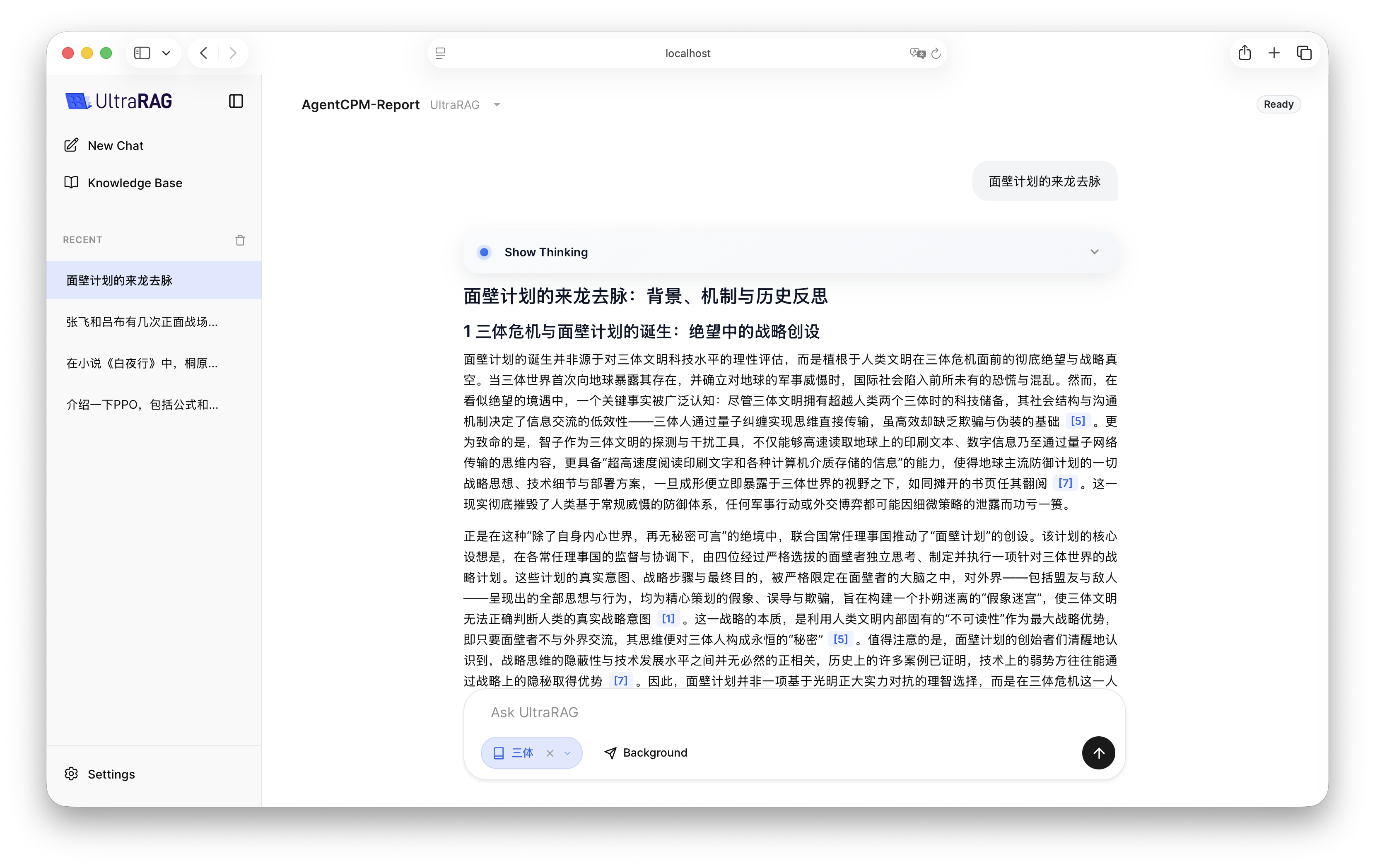
After configuration is complete, start the AgentCPM-Report Pipeline in UltraRAG UI.
Since the generation of a 10,000-word review involves a large amount of concurrent retrieval and multi-turn reasoning, it usually takes more than 10 minutes. You can use the UI’s
background running function and come back to check the final report after the task is completed.