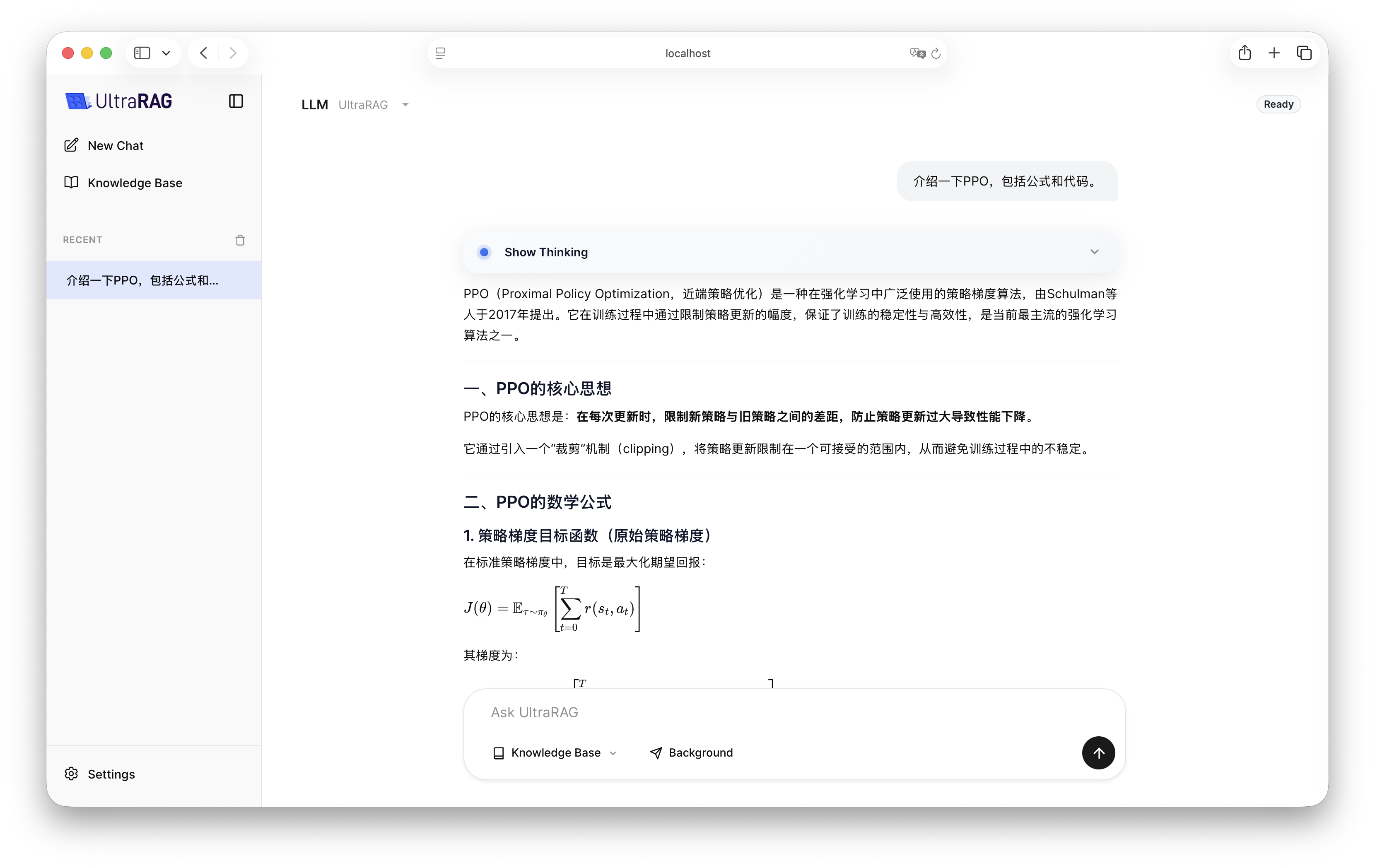
To quickly demonstrate Large Language Model (LLM) capabilities in UltraRAG UI, we provide a preset Pipeline. Before formal operation, please complete Pipeline compilation and parameter configuration.

1. Pipeline Structure Overview

https://mintcdn.com/ultrarag/T7GffHzZitf6TThi/images/yaml.svg?fit=max&auto=format&n=T7GffHzZitf6TThi&q=85&s=69b41e79144bc908039c2ee3abbb1c3bexamples/LLM.yaml
# LLM Demo for UltraRAG UI

# MCP Server
servers:
  benchmark: servers/benchmark
  prompt: servers/prompt
  generation: servers/generation

# MCP Client Pipeline
pipeline:
- benchmark.get_data
- prompt.qa_boxed
- generation.generation_init
- generation.generate

2. Compile Pipeline File

Execute the following command in the terminal to compile:
ultrarag build examples/LLM.yaml

3. Configure Running Parameters

Modify examples/parameter/LLM_parameter.yaml according to your environment needs. The following example shows how to switch the backend from vLLM to OpenAI API standard interface and adjust the model name and system prompt.
https://mintcdn.com/ultrarag/T7GffHzZitf6TThi/images/yaml.svg?fit=max&auto=format&n=T7GffHzZitf6TThi&q=85&s=69b41e79144bc908039c2ee3abbb1c3bexamples/parameter/LLM_parameter.yaml
benchmark:
  benchmark:
    key_map:
      gt_ls: golden_answers
      q_ls: question
    limit: -1
    name: nq
    path: data/sample_nq_10.jsonl
    seed: 42
    shuffle: false
generation:
  backend: vllm
  backend: openai
  backend_configs:
    hf:
      batch_size: 8
      gpu_ids: 2,3
      model_name_or_path: openbmb/MiniCPM4-8B
      trust_remote_code: true
    openai:
      api_key: abc
      base_delay: 1.0
      base_url: http://localhost:8000/v1
      base_url: http://localhost:65503/v1
      concurrency: 8
      model_name: MiniCPM4-8B
      model_name: qwen3-32b
      retries: 3
    vllm:
      dtype: auto
      gpu_ids: 2,3
      gpu_memory_utilization: 0.9
      model_name_or_path: openbmb/MiniCPM4-8B
      trust_remote_code: true
  extra_params:
    chat_template_kwargs:
      enable_thinking: false
  sampling_params:
    max_tokens: 2048
    temperature: 0.7
    top_p: 0.8
  system_prompt: ''
  system_prompt: 'You are a professional UltraRAG Q&A assistant.'
prompt:
  template: prompt/qa_boxed.jinja
  template: prompt/qa_simple.jinja

4. Effect Demonstration

After configuration is complete, start UltraRAG UI and select LLM Pipeline in the interface to start interaction.